

PRODUCT · TIIVII SUITE
tiivii mixer
A professional production switcher that lives in your browser.
Direct the event remotely, with or without AI, from anywhere with a connection.
Media and broadcastersSport
We take you to cinfo's contact form with this item already filled in, so you don't have to explain what it is about.
THE CHALLENGE
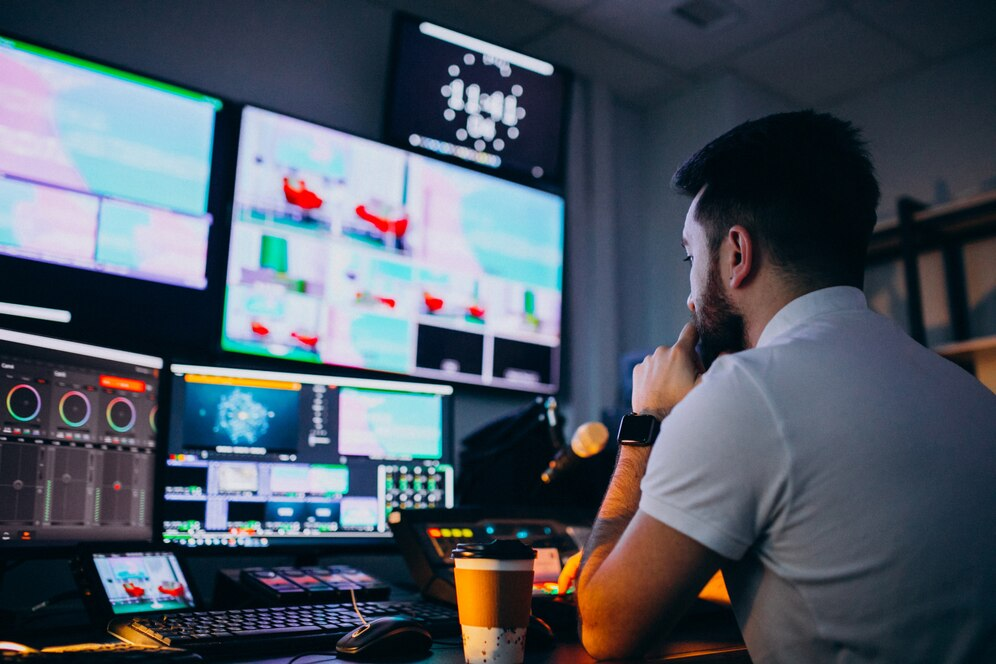
Not every event fits a fully automatic production
Some events need human judgement: an interview, a tribute, a live show with guests, a top-level competition. Sending a production crew to each one is not viable.
-
OB vans do not scale
Every enriched production needs a truck, a crew and travel, and can only be in one place at a time.
-
Talent is spread out
Directors and commentators do not live where the matches are played, and travel eats most of the budget.
-
Incompatible sources
Cameras from different manufacturers, phones and external feeds that will not sync with each other.
WHAT IT IS
A cloud production switcher you reach from a browser
tiivii mixer adds people to automatic production: it lets you direct an event remotely with the functions of a professional studio tool, switching the AI on or off at any point.
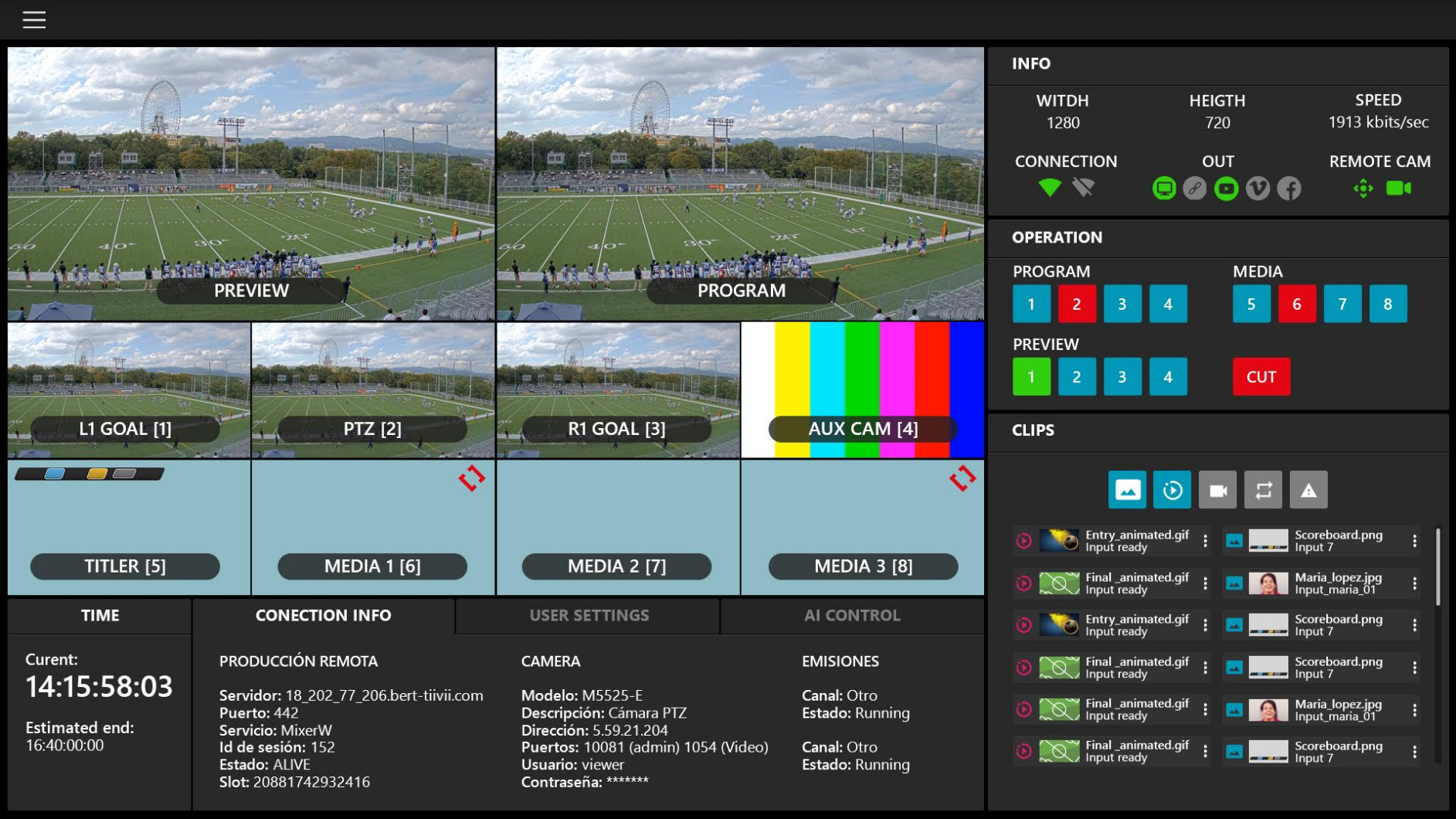
Camera selection and mixing, transitions, replays and colour correction.
Interviews, commentators, picture in picture and insertion of graphics, videos and clips.
Compatible with any video or audio source, mobile phones included.
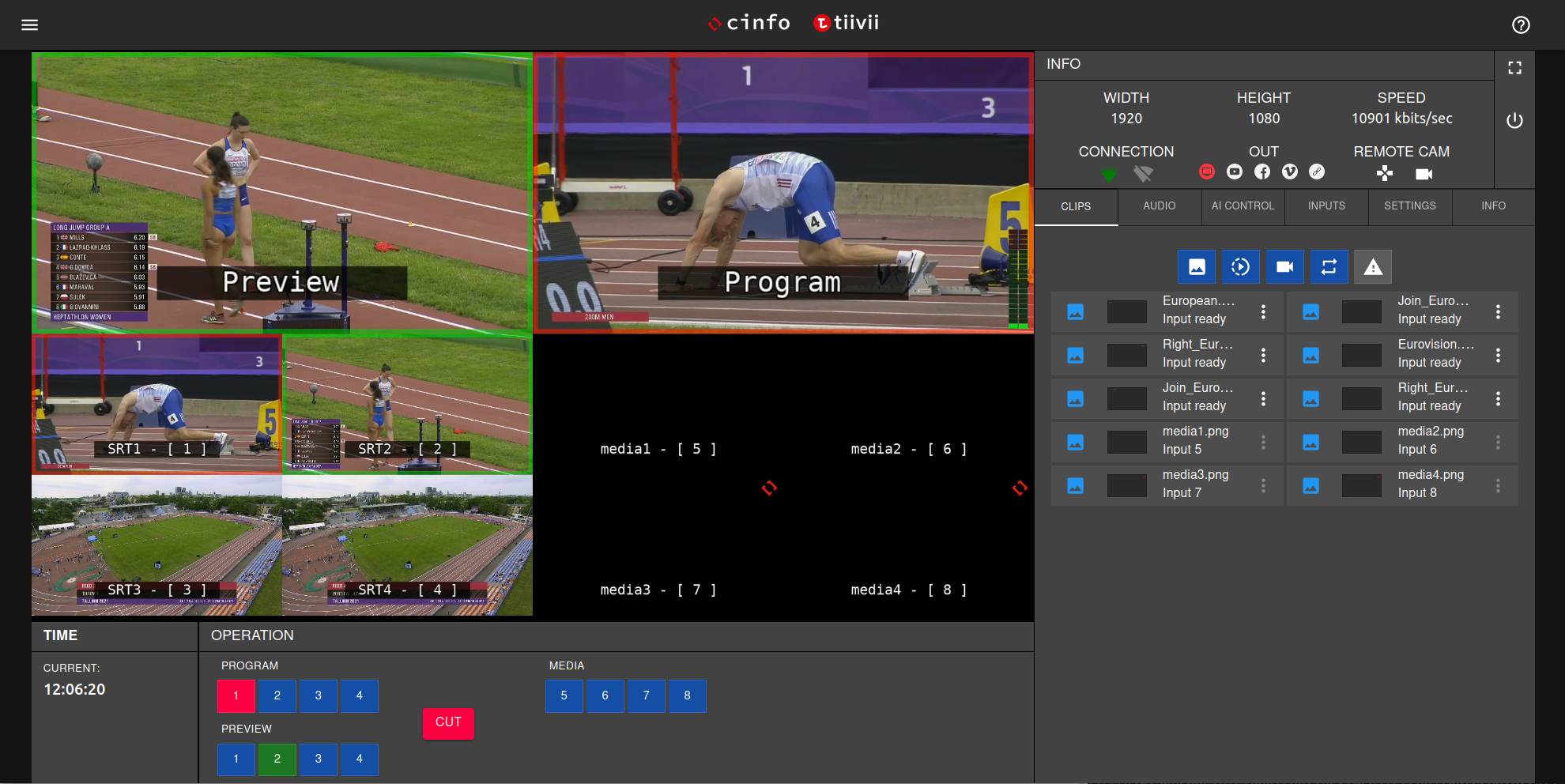
Manual synchronisation of RTSP and SRT streams from different manufacturers.
HOW IT WORKS
Remote directing in four steps
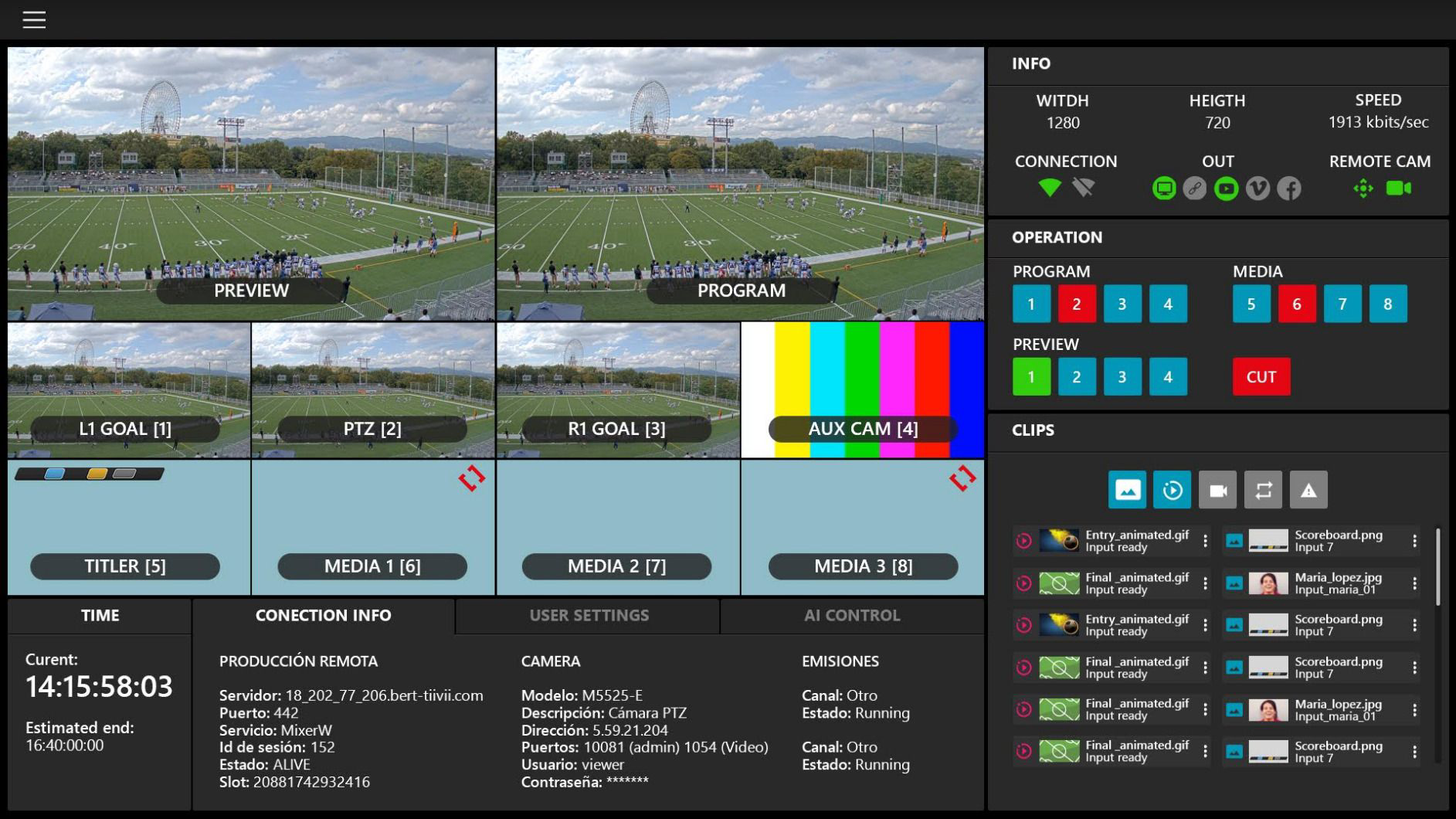
The mixer receives every feed from the venue in the cloud and puts them in front of the crew, wherever they are.
-
Feeds go up to the cloud
Venue cameras, phones and external sources arrive at the mixer in sync.
-
The crew logs in
Director and commentator log in from their browser, with nothing to install and nowhere to travel.
-
The event is directed
Camera mixing, graphics, advertising, replays and audio, with the AI as backup.
-
It goes live
The directed feed goes out simultaneously to every configured destination.
FEATURES
Studio functions, in a browser tab
-
Multi-camera mixing
Instant switching between every synchronised source in the event.
-
Graphics and advertising
Insertion of lower thirds, scoreboards, ads, videos and clips during the broadcast.
-
Commentary and interviews
Remote commentators, guests and picture in picture built into the feed.
-
Replays and highlights
Marking and playback of key moments without leaving the live feed.
-
Colour correction and transitions
Correction across different cameras and professional transitions between shots.
-
Hybrid production
The AI can be switched on and off mid-event, depending on what happens.
-
Audio mixer
Control of venue audio sources, microphones and external audio.
-
Video conferencing built in
Remote participants from Zoom, Teams, Meet or any other tool on the market.
BENEFITS
Rich productions without moving a truck
-
Lower production cost
No OB van, no travel, and the same crew covering several events a day.
-
Access to better talent
Directors and commentators work from wherever they are, on any event in your calendar.
-
Full flexibility
Automatic for routine events, manual for the big matches, hybrid when it suits.
-
A short learning curve
A web interface with keyboard, mouse, gamepad or touch control.
INTEGRATIONS
It accepts whatever you already have
Any video or audio source can join the production, even from different vendors or protocols.
-
tiivii automatic production
The mixer takes control of the automatic production whenever needed.
-
RTMP, RTSP and SRT
Mixed protocols in a single production, with fine manual synchronisation.
-
Mobile phones
Any phone can join as an extra camera in the event.
-
Zoom, Teams and Meet
Remote guests embedded into the broadcast feed.
-
Graphics packages
Graphics packages per competition or per client, managed from tiivii admin.
-
REST APIs
Control of the mixer and the schedule from your own systems.
HOW IT IS CONTRACTED
Mixer licence plus directing hours
-
Self-service
YOUR TEAM DIRECTS
- Cloud mixer licence
- Concurrent users
- Initial training
- Basic graphics package
- Business-hours support
Annual fee
-
Managed directing
CINFO DIRECTS FOR YOU
- Remote director
- Optional commentary
- Custom graphics
- Replays and highlights
- Event coordination
Price per event
-
Season
FULL COMPETITIONS
- Everything above
- Full calendar
- Dedicated crew
- Reporting per matchday
- Priority support
Season contract
Indicative models. cinfo can provide the directing and commentary crew as a service, or train the client's own team to run the mixer.
GALLERY
The mixer at work
CASE STUDIES
Enriched productions, done remotely
-
TIIVII.TV
Commentary and graphics across a full matchday
The featured matches of each round are enriched with a remote director and commentator on top of the automatic production.
-
CITY COUNCILS
Council meetings with manual directing when needed
The mixer alternates between microphone-driven automatic broadcasting and manual directing with agenda captions.
-
CULTURAL EVENTS
Concerts and galas with remote guests
Multi-camera productions with interviews and participants joining over video conference.
CINFO IN NUMBERS
Production at scale
- 8synchronised cameras per production
- 750events produced every week
- 0 kmtravelled by the production crew
- 24/7operation and support available
FREQUENTLY ASKED QUESTIONS
Common questions about remote production
Do I need to install software?
No. The mixer runs entirely in the browser, from any device with web access and a stable connection.
Can I mix automatic and manual production?
Yes. The AI can be switched on and off mid-event: the usual pattern is to let it work and take control for key moments.
Who directs, cinfo or my team?
Whichever you prefer. cinfo can provide a director and commentator as a service, or train your team to run the mixer themselves.
Does it accept cameras I already own?
Yes. Any video or audio source, from any manufacturer, and even mobile phones, can join the same production.
What about venue audio?
The mixer includes an audio mixer for venue microphones, external audio and remote commentary.
Can I bring in live guests?
Yes, through the usual video conferencing tools (Zoom, Teams, Meet and others), embedded in the broadcast feed.
WHO IT IS FOR
Who produces remotely with tiivii mixer
-
Production companies and broadcasters
Coverage of more events with the same crew and no OB vans.
-
Federations and leagues
Featured matches enriched on top of an automatic production base.
-
City councils
Council meetings and civic events with captions, agenda items and speakers.
-
Event organisers
Conferences, concerts and galas with remote guests and several cameras.
Related items
- Products · Production and direction
Automatic production
Broadcast every event live, with television quality and nobody at the venue.
Sport · Media and broadcasters
- Products · Production and direction
Multicamera
Let every viewer watch the event from wherever they want.
Sport · Media and broadcasters
- Products · OTT and distribution
tiivii OTT
Your own streaming platform, under your brand, on every screen.
Media and broadcasters · Services
LET'S TALK
Try the mixer on a real event
We connect to your cameras, build the graphics and direct a trial event with you.